Smart Fishing
Anglers plan, fish and log a trip using several different apps and sources.
Smart Fishing brings location, weather and catch history into one app.
See it in useUser Research
Prototyping
User Testing
AI-built app
- Concept
- Research
- Prototype
- Testing
- Iteration
- Implementation
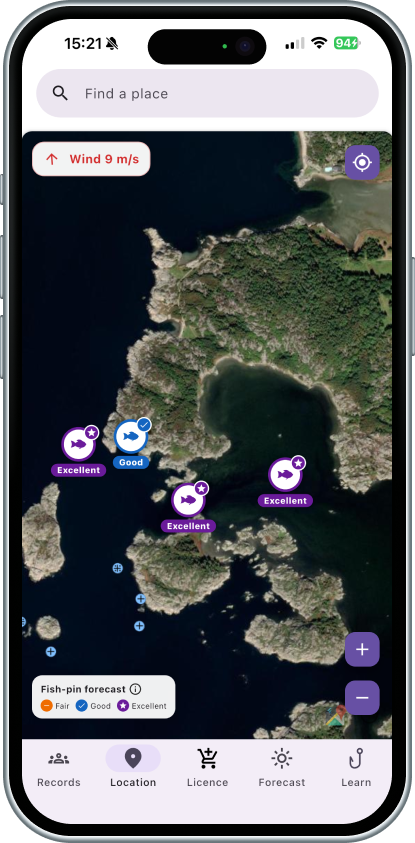
The working product — Smart Fishing in use.
Planning a trip means checking many sources
Planning a fishing trip often involves checking different sources for fishing locations, weather forecasts, wind, water conditions, and regulations. Smart Fishing aims to bring this information together, helping anglers across Sweden make more informed decisions about where and when to fish.
Where and when should I fish?
Smart Fishing displays predefined fishing spots on an interactive map. Each location is associated with a fish species and rated according to environmental conditions, helping anglers identify where conditions may be favorable for fishing.
The vision covers all of Sweden. The current version includes predefined spots around Gothenburg and its archipelago.
Each fishing spot is evaluated using water temperature, wind, sea level, and wave conditions. The app applies different scoring rules depending on the fish species. Locations receive an Excellent, Good, or Fair rating.
The app doesn’t track fish. It shows fishing spots and rates the conditions, but a good rating doesn’t guarantee a catch.
How the score is calculated
Each spot is tied to one species. Its score uses Open-Meteo weather and marine forecast data: wind speed and direction, water temperature, wave height, and sea level. The highest temperature scores fall within these ranges:
Wind: for sea trout and garfish, wind direction is scored against a predefined shore direction; for mackerel, wind speed is scored instead.
Sea level: higher levels score better; lower levels reduce the score.
Strong wind and waves: waves of 1.8 m or more, or wind of 43.2 km/h or more, set the score to zero.
Scores are rule-based, not percentages: a score of 80 does not mean an 80% chance of catching fish.
The Forecast tab helps anglers decide when to fish by evaluating weather and marine conditions. It also examines the next 24 hours to recommend a three-hour fishing window with more favorable wind, wave, and rain conditions, when suitable conditions and enough forecast data are available.
The Forecast tab uses its own rules, separate from the map, so the two ratings can sometimes differ.
- Thunderstorms
- Wind speed
- Wind gusts
- Waves
- Low water levels
The current recommendation system uses predefined fishing spots and rule-based environmental scores. It does not detect fish or learn from catch records.
Map locations currently share environmental data retrieved for the map’s centre rather than receiving individual forecasts. The scoring rules also need further refinement and validation.
Future development could expand fishing locations across Sweden, improve location-specific recommendations, and incorporate additional environmental and seasonal factors.
More than just a photo
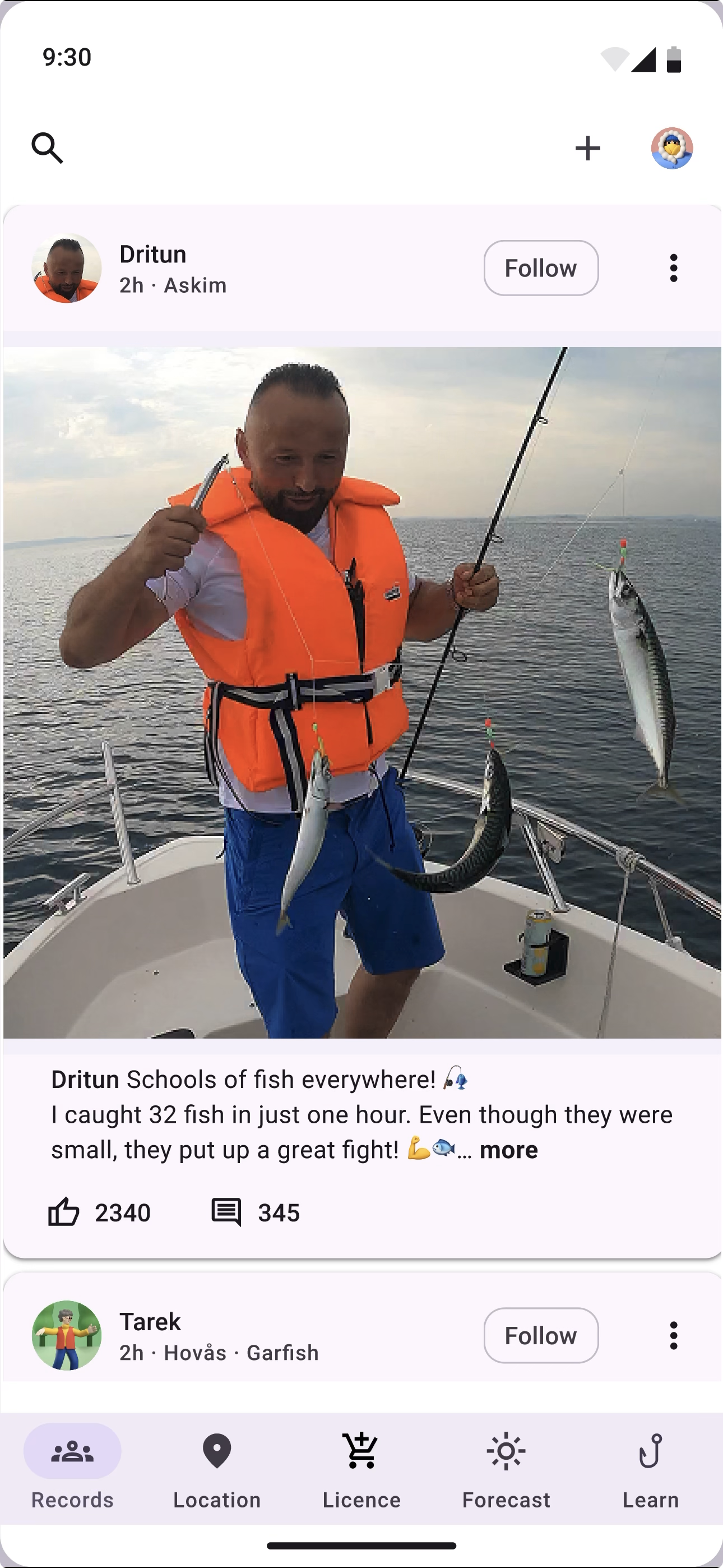
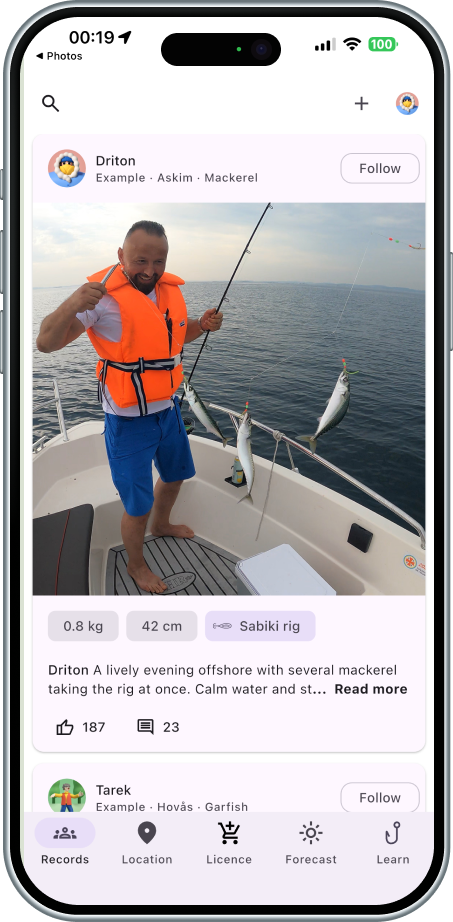
User testing showed that anglers wanted to save more details about their catches. I redesigned the record feature so users can add and share information such as fish species, length, weight, bait or lure, location, and photos.
Knowing how to fish, not just where
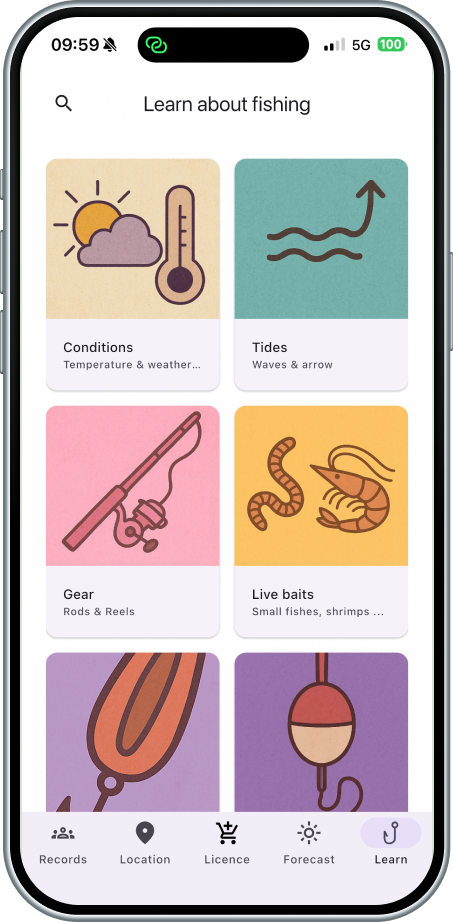
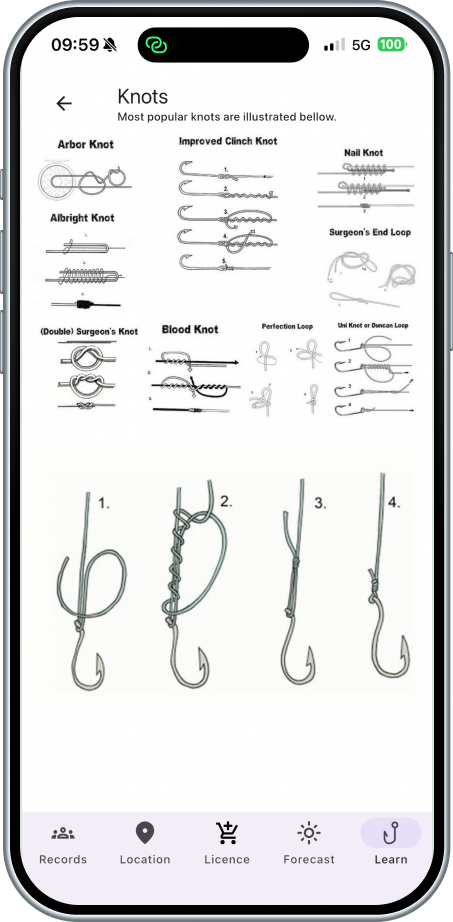
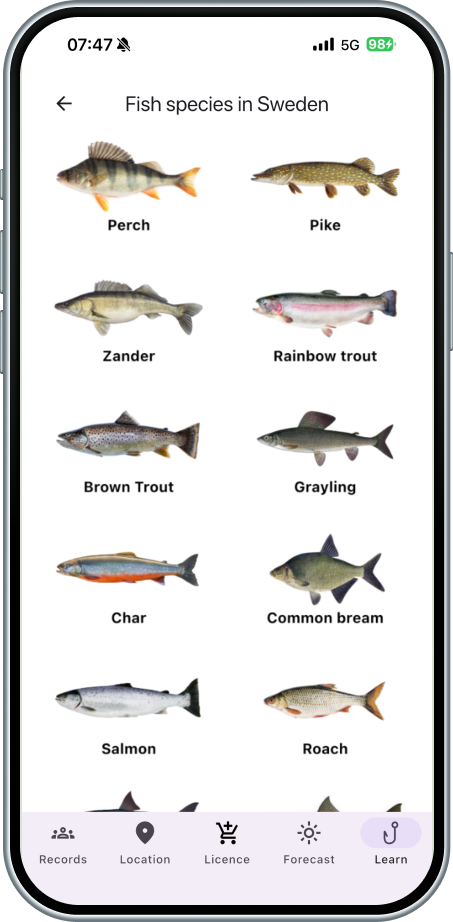
Beyond location and conditions, Smart Fishing includes a Learn section covering topics such as weather and water temperature, tides, rods and reels, lures, live bait, knots, float fishing, fishing ethics, and fish species — so anglers can build fishing knowledge directly in the app.
What users showed us
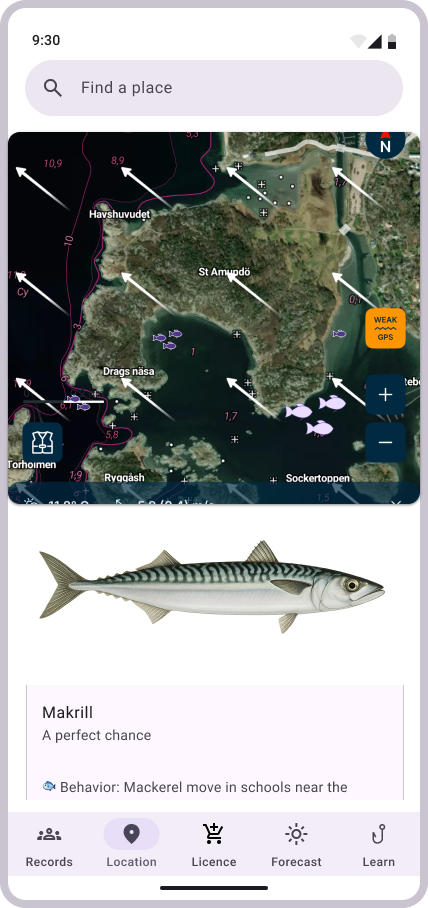
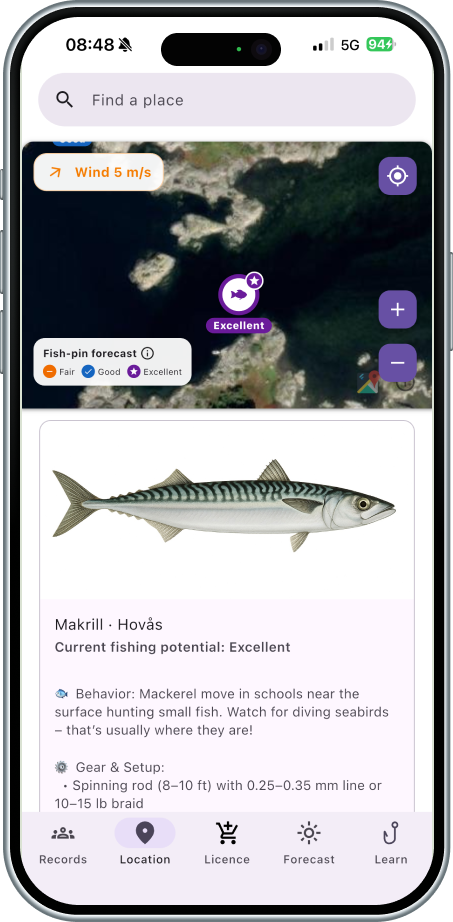
Users did not understand what 1, 2, or 3 fish markers meant.
Problem: Recommendation strength was unclear.
Response: Redesigned the markers and supporting information to communicate recommendations more clearly.
Implemented — needs further user testing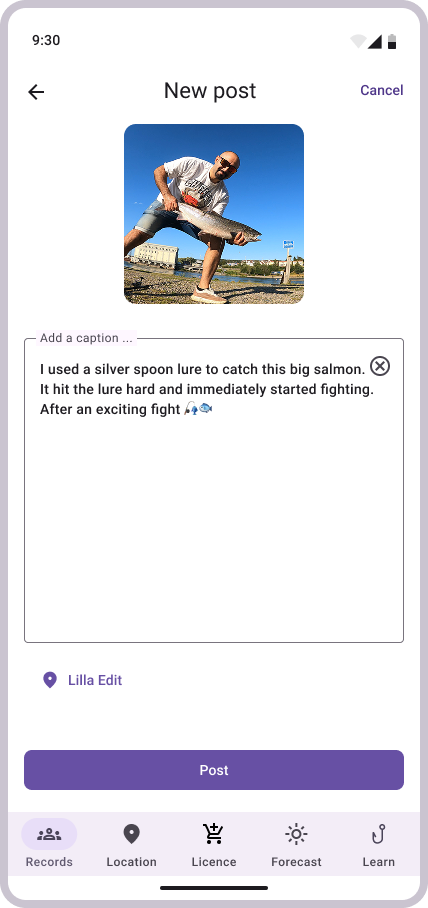
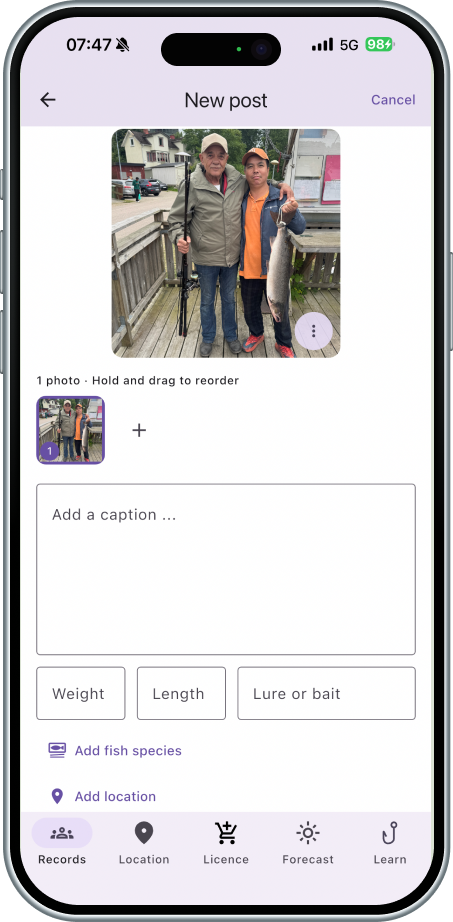
Users wanted to share more information about their catches.
Problem: The original record was too limited.
Response: Added species, length, weight, bait/lure, location, photos, and catch details.
Implemented — needs further user testing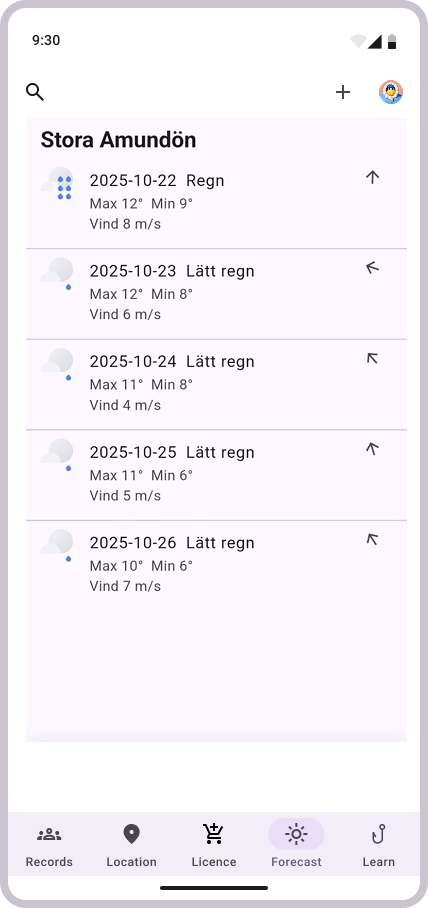
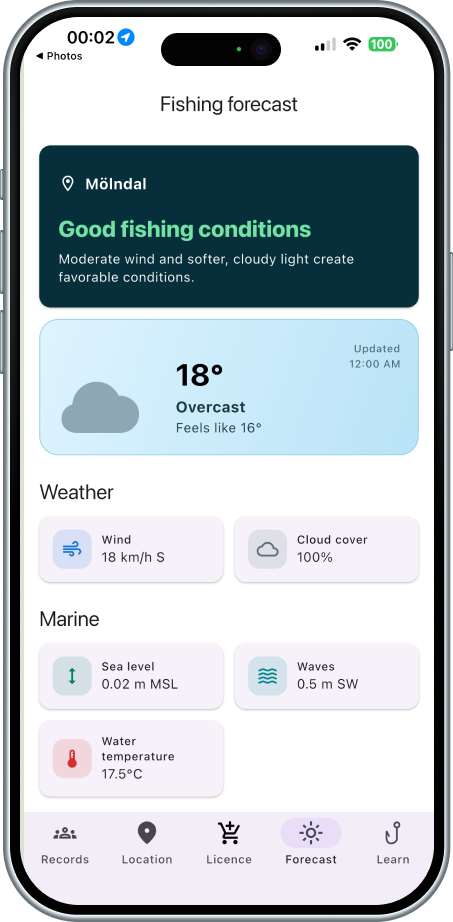
A standard weather forecast did not clearly tell users whether it was a good fishing day or when to fish.
Problem: Users had to interpret weather data themselves.
Response: Redesigned the forecast around fishing suitability and suitable fishing times.
Implemented — needs further user testing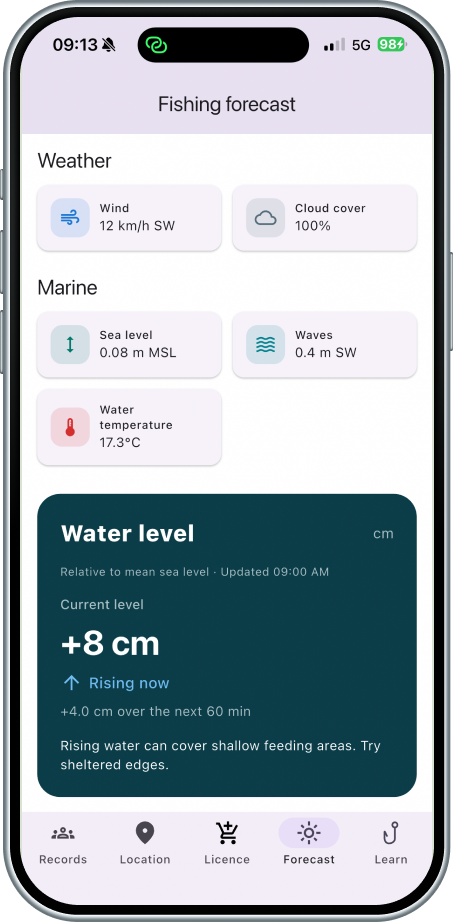
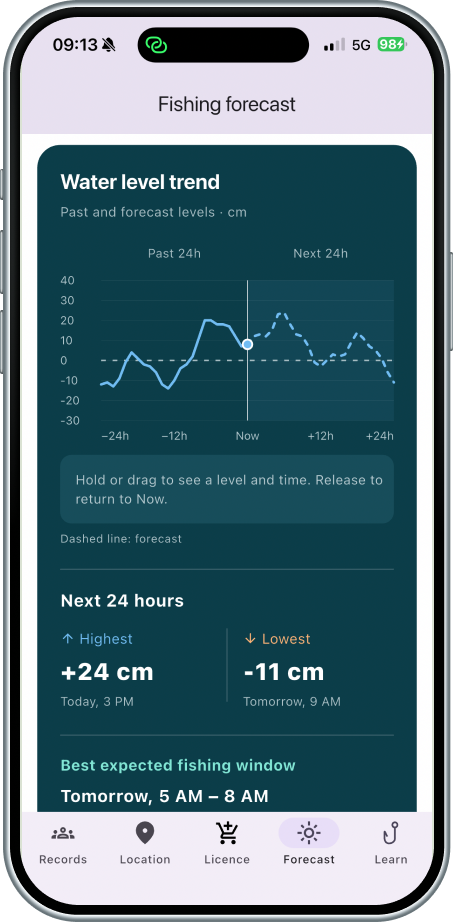
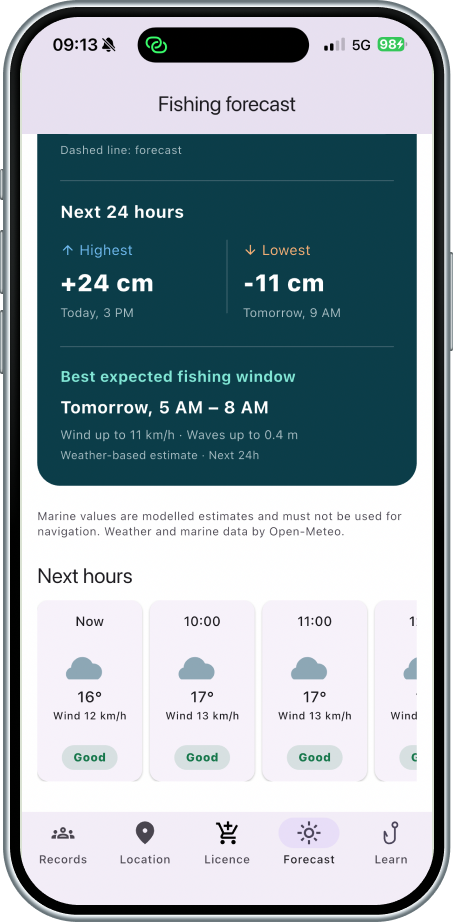
More detailed water conditions were needed.
Problem: The experience lacked useful marine context.
Response: Added water level and trends, wave height, water temperature, and other marine conditions.
Implemented — needs further user testingFrom prototype to product
After testing and redesigning the Figma prototype, I moved the concept into a functional mobile app to explore the experience with real data and interactions.
I used Flutter/Dart for the application and Codex as an AI-assisted development tool, while maintaining ownership of the UX, interaction design, requirements, review, and refinement. Methods throughout: design iteration, usability testing, and user interviews.
I designed the Smart Fishing logo and used it as the basis for the app icon.
- Flutter
- Dart
- Firebase
- APIs
- AI-assisted development with Codex
- Open-Meteo weather forecast
- Open-Meteo marine forecast
- OpenStreetMap
- OpenSeaMap
- Device GPS and geocoding
A working app, not yet validated
Smart Fishing is now a functional mobile app, but the redesigned experience still needs further validation.
Prepare the app for potential publication on the App Store and Google Play.
What I learned
Smart Fishing taught me how to take an idea past Figma and into a real product, through testing, iteration, and building it. I learned Material Design 3 and worked with AI-assisted development in Codex to turn my UX and interaction design decisions into a working app.
It also taught me a lot about how UX, real data, APIs, and technical limits all affect each other in a real product.